
Rutherford Discovery Fellowship to understand why Earth is habitable
Dr Terry Isson has secured a prestigious Rutherford Discovery Fellowship by investigating the global carbon cycle.
Discover our Tauranga campus, located in the heart of Tauranga city, just a short drive to the golden beaches of Mount Maunganui and Pāpāmoa.

Our Tauranga campus has enhanced the range of qualifications available to students in one of Aotearoa New Zealand's most sought-after locations - combining beautiful beaches, a relaxed lifestyle and world-class university study.
With current capacity for 1,500 students, our smaller campus is a great option if you want a more independent study experience. From the moment you step through our doors, you’ll feel a sense of belonging.

Te Moana o Toi | Bay of Plenty lives up to its name and offers an enviable coastal lifestyle, including the gold-sand beaches of Mount Maunganui and Pāpāmoa, while still being close to Auckland and Hamilton.

A smaller campus means smaller class sizes and more one-on-one contact with our friendly teaching and support staff. They’ll get to know you by name and be committed to help you achieve your study goals.
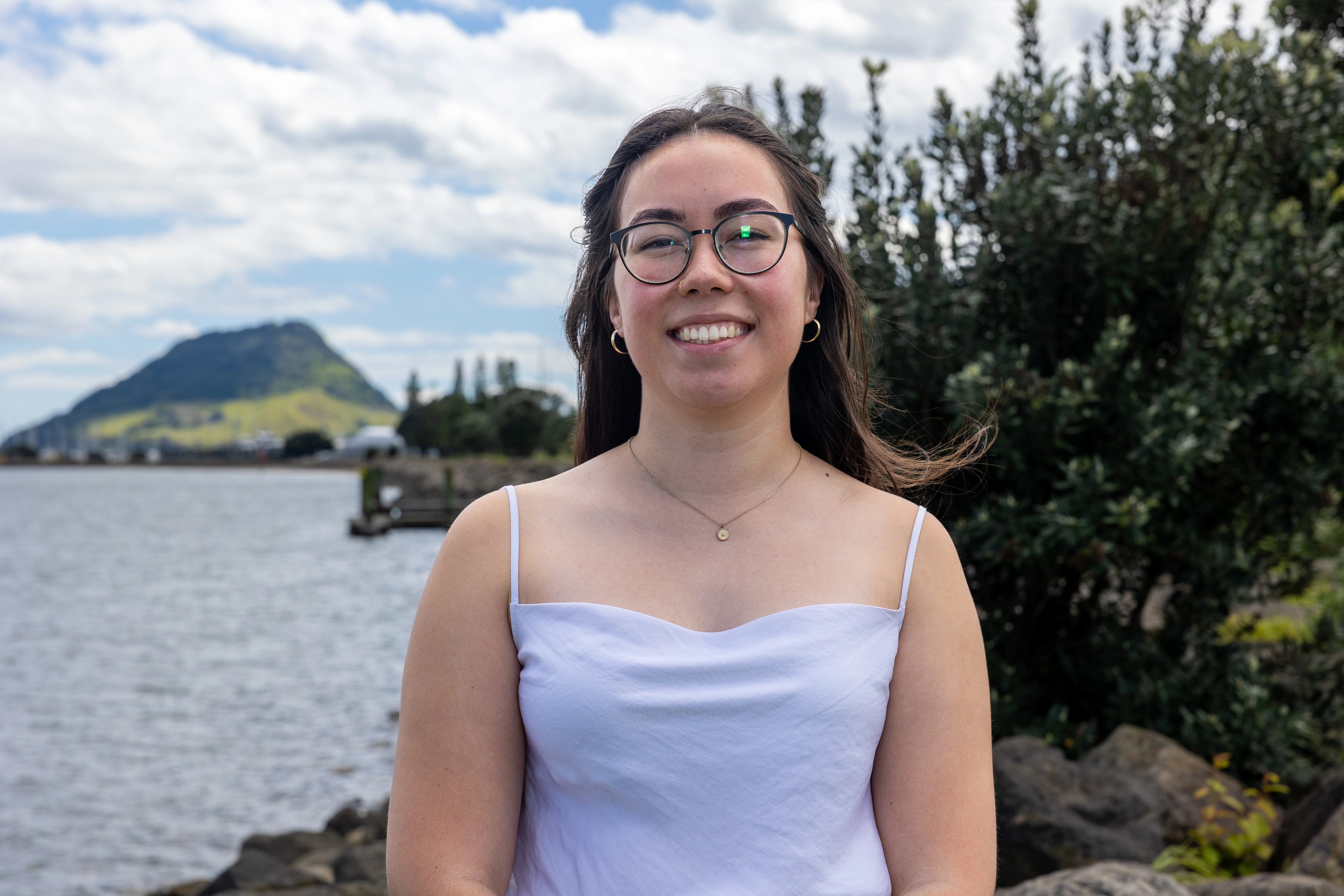
Home to a busy port and global export giants including Zespri (kiwifruit) and Comvita (mānuka honey), Tauranga has many opportunities for Work-Integrated Learning industry placements, internships and future employment.
Our location is ideal for students who want to explore life below water with our Bachelor of Science in Aquaculture or Marine Science (new in 2024) and only available in Tauranga, and Environmental Sciences with a marine focus.
Every year the University of Waikato offers hundreds of scholarships to students and, thanks to our generous donors, there are scholarships specifically for students who choose Tauranga as their study destination.
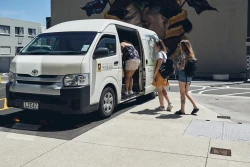 The free Kaimai Shuttle runs between our Tauranga and Hamilton campuses during teaching periods and is available for students to commute for study purposes. This keeps us well connected to our Waikato whānau (family).

We offer a range of degrees, diplomas, and certificates in many of the same programmes as our Hamilton campus, and some that are unique to Tauranga. Our flexible degree structures mean you can choose from a variety subjects to shape your qualification.

Located conveniently in Selwyn Street, right across the road from Tauranga city campus, our University-managed accommodation complex consists of 88 standard and 3 accessibility studio rooms.
The Tauranga campus is open Monday - Friday from 7:30am - 5:00pm. Outside of these times, you can access the building as follows:
You need to use your Student ID card to access the building after-hours and when using the computer lab and other services.
Situated on the Ground floor, there are six microwaves, a sink, access to boiled water and recycling stations. The kitchenette can be accessed Monday - Friday, 7.30am - 10.00pm.
There are food vending machines in two locations on campus - opposite the 24-hour computer lab/library on Level 1 and in the student kitchenette on the Ground floor. Water fountains/stations are located on all levels near the toilet facilities on the Durham Street side of the building.
The campus café is located on the ground level.
Gender neutral toilet facilities are located on the Ground floor and Level 1. Separate male and female toilets are situated on Levels 1, 2 and 3. Accessibility toilets are on each level. Student showers are located on the Ground floor.
Recycling bins are located near the toilet facilities on each level of the building. Please take care to place clean recycling in the correct bins as contaminated items will see the whole bin load sent to landfill.
As part of our efforts to reduce our waste outputs, we have partnered with WhyWaste to provide worm farms on campus. There is a green food bin in the the student kitchenette for food scraps. Please help us to keep the worms happy and healthy by referring to the signage as to what the worms can and cannot eat.
Lockers and secure device chargers are available on a six-hour timer and are situated on each level near the toilet facilities. Power points and USB chargers can be found built into the furniture and throughout the building on each level.
On Level 3, an outdoor deck offers a study and social space with seating and beanbags to chill out and enjoy spectacular views across the city.
Meeting rooms are available for groups of four or more students to book for 1-hour time slots. Room 1.19 is available Monday - Friday, 7.30am - 10pm, and rooms 1.27 and 1.30 are available from Monday - Friday, 5pm to 7.30am and on Saturdays and Sundays. Book a meeting room.
The postgraduate room on level 4 is available to PhD students 24/7. There is a kitchenette adjacent to the room for student use.
Your Supervisor can request your access.
Students enrolled in a 120 point Masters (Research) may be granted access to the room if space is available. Your Supervisor should email a request to uwt@waikato.ac.nz for management consideration.
The Coastal Marine Field Station located at 58 Cross Road in Sulphur Point is a hub for ground-breaking research being conducted in Tauranga Harbour and around the Bay of Plenty. Undergraduate students in the Bachelor of Science will be taught by staff of the Field Station, and postgraduate students will undertake supervised field work and research. Students completing hands-on work will also have access to specialised equipment.
The 1000sqm state-of-the-art Facility for Aquaculture Research of Macroalgae sits opposite the Coastal Marine Field Station in Sulphur Point. It is ideally situated for marine conservation and the developing aquaculture economy in the region.
The Adams Centre for High Performance located at 52 Miro Street in Mount Maunganui contains the latest equipment for testing and research into sports science. Postgraduate students studying health, sport and human performance will have access to an environmental chamber, high performance gym, recovery pools, science laboratory and sports medicine and rehabilitation services.
Our Student Services Team is located in The Hub on Level 1, Monday - Friday 8am - 4:30pm. They are able to provide advice and support throughout your university journey.
Our Accommodation Coordinator can assist students looking for accommodation in Tauranga.
The University of Waikato is committed to providing equity in education. Our accessibility services provide support to impaired students to ensure that everyone has access to all areas of campus life. Find out more about accessibility services.
Students are able to access the full range of library services, be it accessing electronic / print resources or requesting an online or in-person library consultation. Find out more about Library services in Tauranga.
A learning support advisor is available for 20-minute drop-ins on weekdays from 11am - 1pm daily, or longer consultations if necessary. You can book an appointment online.
The Tauranga campus e-Tuts are students that support both staff and students with e-Learning tools such as the G Suite of Google products, Panopto, Mahara and TurnItIn.
Our ITS Tech Desk is located in The Hub on Level 1. IT support is available Monday - Friday, 8.30am - 5.00pm. If the desk is unattended you can also call 0800 Waikato ext. 4008 for help. For teaching room support please use the phone in the room to call the hotline on 6066.
Te Pūoho ki Te Toka a Tirikawa Māori support, located in room 1.20 on Level 1, is a group of experienced university students or kaiāwhina from different schools of study. They have a wealth of knowledge and tips to help you successfully navigate your academic journey.
Our student health nurse, located in room 1.25 on Level 1, offers a wide range of services. Find out more about student health services.
Check out the range of career development tools and support we offer to our students, including the Employability Plus Award (EPA).
Our work-integrated learning (WIL) papers create a link between academic learning and the practical applications of this learning in the workplace. WIL is a compulsory component of all University of Waikato’s undergraduate degrees. Find out more information about WIL. Contact the WIL team via email wilcu@waikato.ac.nz.
The Waikato Students’ Union (WSU) is committed to ensuring you are heard on campus and get the best out of your university experience. Dedicated WSU representatives are available to help students in need of independent advice, support with hardship issues or who want to start a club. WSU Tauranga is situated in room 1.21 on Level 1. Keep updated with news, events, giveaways and more via their social media Facebook and Instagram.
University chaplains are available for pastoral support regardless of your background or beliefs. If you need to talk to someone, Brother Andrew McKean visits the Tauranga campus regularly. Find out more about chaplaincy.
Security is available 24/7 and can be contacted on 022 013 0840 for any security issues and lost property. Lost property is held by security for three months from the time it was handed in. Students can use the security phone in The Hub to inquire about their lost items.
You may be required to purchase textbooks or course readings for the papers you are enrolled in. Required and recommended texts and readings are listed in your Paper Outline/s. We recommend not purchasing anything until after you have attended your first lecture as your lecturer will advise whether this is necessary.
You choose where you purchase your textbooks from and whether you want to buy new or secondhand.
Campus Books
Campus Books is located on the Hamilton campus, but Tauranga students can purchase books from their website www.campusbooks.nz and have them sent to Tauranga campus free of charge at the checkout. Collect them from the Information desk in The Hub on Level 1.
Email waikato@campusbooks.nz or phone 07 856 6813
Second-hand Textbooks
There are a number of places for purchasing second-hand textbooks. One place you might like to check out Waikato Uni Textbook Trader on Facebook.
Purchasing Course Readings
Every student can order Course Materials via uow.mediacentre.co.nz.
If there is an issue with your order, please email: uow.orders@mediacentre.co.nz.
High-Demand Textbooks
There is a small, dynamic, high-demand, collection of books held in our Tauranga campus library, supported by the full range of our e-resource collections. All library resources can be found by using Library Search.
Tauranga staff and students may also access hard-copy material from the Hamilton campus collection, which will be sent across on the daily shuttle service. Check with the Tauranga librarians in TCBD.1.03 for textbook availability.
We encourage our students to use transport options such as public transport, car-sharing and cycling.
There are more than 40 bike racks available around campus and under cover in the Bongard Centre basement.
A secure storage facility for approximately 48 bikes/scooters is located underneath 184 Cameron Road (opposite the city campus, Durham Lane side, to the left of the 'Kotahitanga' mural by Mr G). Students need to request swipe card access from the Student Services team in The Hub in person, by email or phone 07 262 0500. It will take up to 24 hours for access to be actioned. Students should also secure their bike/scooter within the storage facility.
For students who opt to cycle to campus, there are two showers on the Ground level for student use.
To find out more information about cycling in Tauranga, please visit the Tauranga City Council Cycling Network website.
There is no on-campus parking available. If you plan to drive to campus, there are paid car parks in the city centre. Find out more about the parking fees in the city centre.
Students are reminded not to park in private parking space or retail parks to prevent their vehicles from being ticketed, towed or clamped. The visitor parks outside the 24-hour labs are strictly for visitors to the campus during business hours. They may be also be reserved for visitors attending after-hours events.
There are two mobility parks at the city campus, located outside the Durham Lane entrance, as well as Tauranga City Council mobility parks on-street, off-street and in parking buildings. Visit our Drive to Campus page for more information.
In Tauranga, there are a range of local bus routes and discounts to make your journey to campus easy and affordable.
Get a Bee Card and register it with your tertiary concession to receive cheaper fares. For students aged from 19 years old and younger than 25, the Youth + Bee Card entitles you to travel at half the Region's adult fare. Visit BeeCard for more information.
Most buses transit through the bus depot on Willow Street, a short walk from campus. Check bus timetables via BayBus here.
The Kaimai Shuttle is a free service for students who need to travel between regions for university matters. Students must register to use this service.
The Bay of Plenty Regional Bus Service is a daily service for students who live in the areas of Katikati, Rotorua and Whakatāne. To use this service, tap on with your Bee Card and make sure to carry your Student ID.
Carpooling is a great option for travelling sustainably. Here is carpooling information put together by NZTA. It has a couple of national carpooling services as well as links to the University of Waikato’s RideLink page. Spread the word, these services are most valuable when their user base increases.
Getting involved in sport on campus is a great way to enhance your university experience. Whether you are a high performance athlete, a social exerciser, or someone who hasn’t played sport in years, we’ve got sporting options, fitness and wellbeing, and facilities available to students in Tauranga.
Our Student Health Nurse, located in room 1.25 on Level 1, offers a wide range of services. Find out more about student health services here.
Our entire Tauranga campus is smokefree which includes the use of e-cigarettes and vapes. Check the smokefree policy here
Find out more about study options.

Rutherford Discovery Fellowship to understand why Earth is habitable
Dr Terry Isson has secured a prestigious Rutherford Discovery Fellowship by investigating the global carbon cycle.
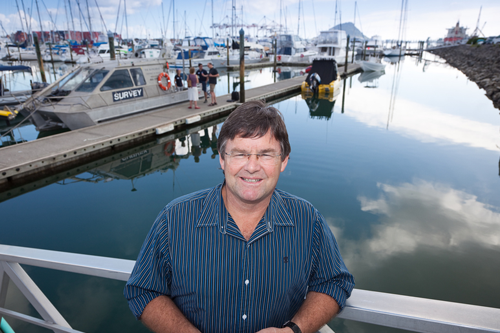
Renowned scientist honoured for dedication to marine conservation
The world-renowned marine scientist has been honoured for his significant contributions to marine science.
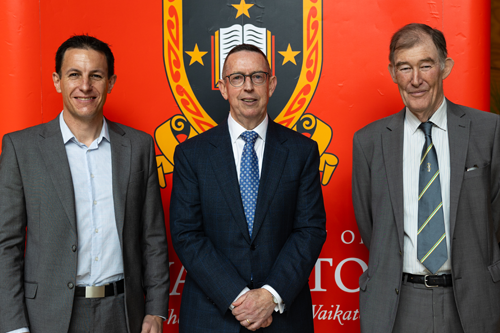
University of Waikato welcomes third medical school announcement
The University of Waikato welcomes the announcement by the National Party that if the Party is successful in this year’s General Election it will establish New Zealand's third medical school.

Waikato ranks in top 100 of universities globally
The University of Waikato has been recognised in the top 100 of educational institutions worldwide.
You’re currently viewing the website as a domestic student, you might want to change to international.
You're a domestic student if you are:
You're an International student if you are: